How to Compress & Convert Images Without Losing Quality in 2026
Learn practical, verifiable techniques to resize, compress, and convert web images into WebP and AVIF without sacrificing visual clarity.
Read guideFREE ONLINE IMAGE CONVERTER
Processing: Server-processed (Encrypted HTTPS)TECHNICAL SPECIFICATIONS & LIMITS
Below are the verified technical parameters, batch limits, and processing details for Image to ICO:
| Specification | Technical Behavior |
|---|---|
| Processing Architecture | Server-processed via encrypted HTTPS API (ephemeral memory, deleted within 30 minutes) |
| Accepted Input Formats | .JPG,.JPEG,.PNG,.WEBP,.BMP |
| Output Format | ICO (.ico multi-size icon) |
| Batch Processing Limit | 10 files per batch |
| Configurable Parameters | Automatic preset optimization |
| Transparency / Alpha Handling | Preserved when output format supports alpha (PNG, WebP, ICO) |
FAVICON ESSENTIALS
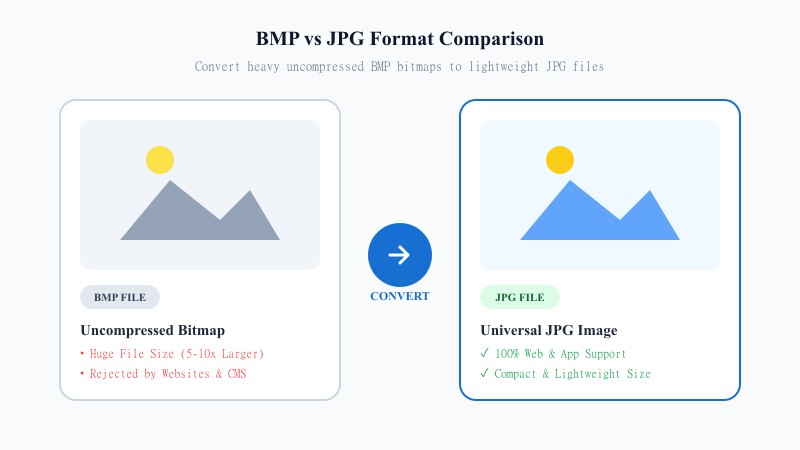
ICO is a specific file format built for icons — favicons, desktop shortcuts, app icons, that kind of thing. It's not just a renamed image file; ICO can actually bundle multiple icon sizes into one file, so browsers and operating systems can pick the resolution that fits best, whether that's a tiny 16x16 tab icon or a larger one for bookmarks.
Regular image formats like JPG and PNG aren't built for that. Browsers, CMS platforms, and most website builders specifically ask for a .ico file when you're setting up a favicon, which means you can't just drag your logo in as-is — it needs to be converted first. That's the whole reason this tool exists: turning your JPG or PNG into a proper ICO file that websites and browsers actually recognize.
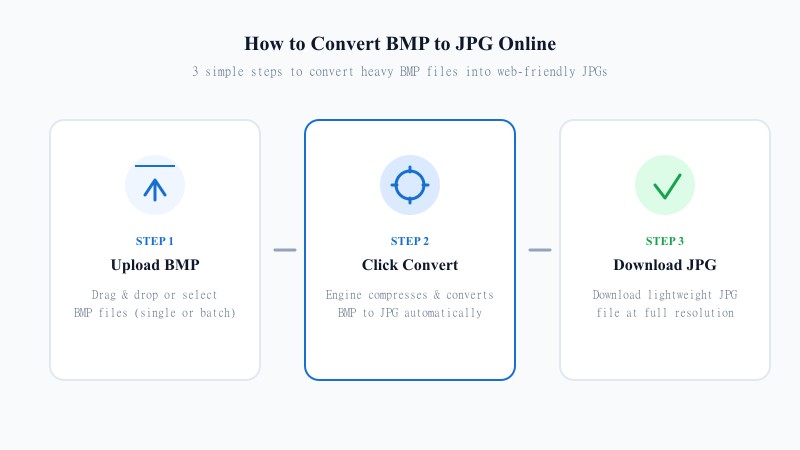
EASY 3-STEP PROCESS
No design software, no Photoshop plugins — just your browser. Here's how to create favicon.ico from an image:
OPTIMIZED RESOLUTION
Favicons are small, but that doesn't mean quality doesn't matter — a blurry or pixelated icon in a browser tab looks unpolished, and it's one of those small details people notice even if they can't say why something feels 'off' about a site. The tool generates your ICO at standard favicon sizes (commonly 16x16, 32x32, and 48x48), which keeps the icon sharp whether it's showing in a browser tab, a bookmark bar, or a mobile home screen shortcut.
One thing worth knowing: if your source image is small or low-resolution to begin with, converting it to ICO won't magically add detail that wasn't there. For the sharpest result, start with a reasonably sized, simple image — logos and icons tend to work far better than busy photos, since favicons are viewed at such a tiny scale that fine detail just gets lost anyway.
USE CASES
FAVICON MATRIX
Not every 'favicon generator' online actually gives you a clean result. Some force you to sign up, some add watermarks, others only output a single low-res size that looks fine on desktop but pixelated on mobile. A solid favicon generator should give you a properly formatted .ico file, generated instantly, without requiring an account — which is exactly what this tool is built to do.
| Feature / Aspect | Standard PNG / JPG Image | Favicon ICO File |
|---|---|---|
| Multi-Resolution Support | Single Fixed Resolution | Bundles 16x16, 32x32, 48x48 into 1 File |
| Browser Tab Recognition | Often Rejected by Legacy Browsers | Native 100% Support across Browsers |
| Desktop & Mobile Shortcuts | May scaling poorly | Optimized for Crisp Icon Rendering |
| CMS & Builder Requirement | Optional / Secondary | Primary Required Site Icon Format |
| Best Use Case | Photos & Graphics | Browser Tab Favicons, App & Desktop Icons |
100% FREE ONLINE TOOL
REFERENCE MATRIX
| Feature | PNG/JPG Image | ICO Icon File |
|---|---|---|
| Container Structure | Single resolution flat image | Multi-resolution icon bundle (16px, 32px, 64px) |
| Favicon Compatibility | Limited browser support | 100% support for HTML site favicons |
| Desktop Application | Standard photo file | Windows application & folder icon standard |
Questions and answers
Yes, completely free with no hidden costs.
Yes, the tool supports converting JPG to favicon.ico and PNG to favicon.ico, along with most other common image formats.
No, everything happens online without installing any software.
Yes, files are processed securely and aren't stored or shared afterward.
Yes, the tool generates multiple standard icon sizes so it displays clearly across browsers and devices.
No, there's no registration required at all.
Typically in your website's root directory or your CMS's favicon/site icon settings — check your platform's documentation for the exact location.