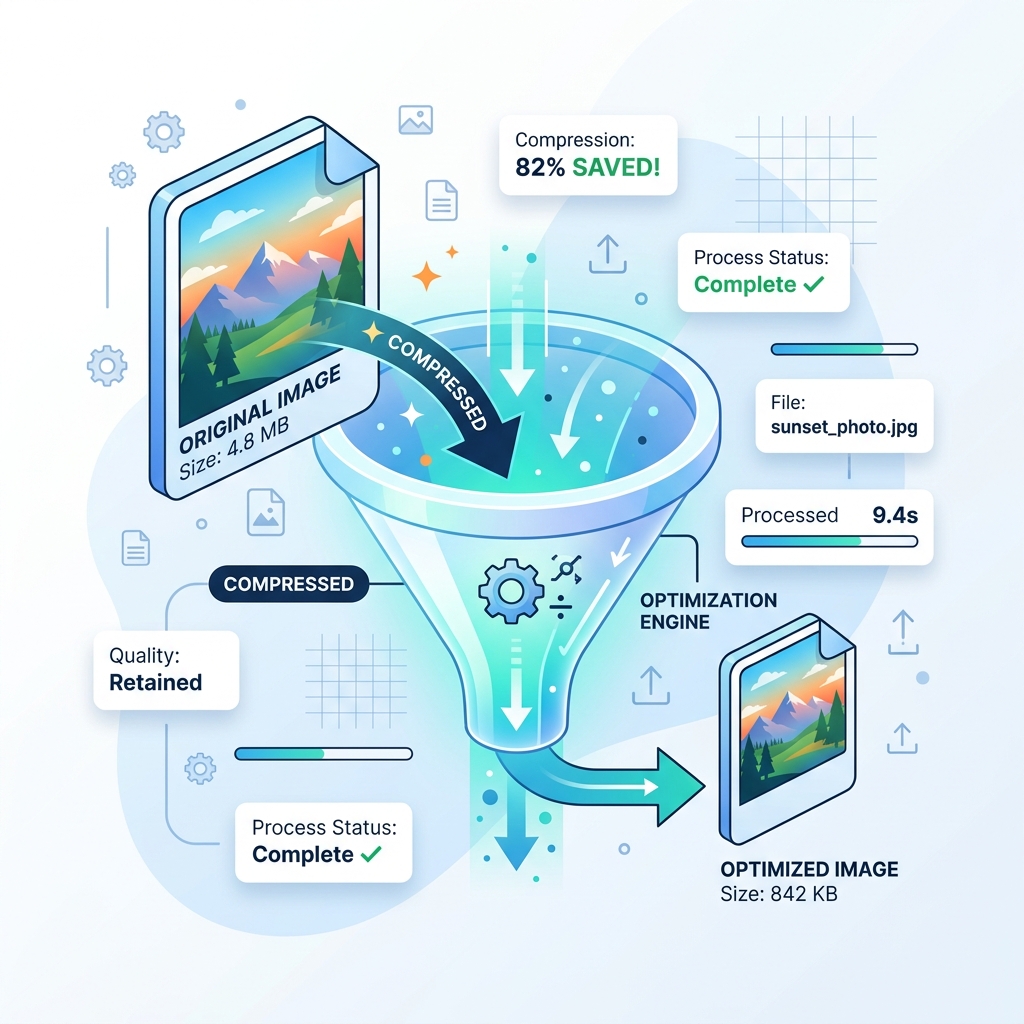
Quick Answer (50 words):
To compress and convert images without visible quality loss, convert photographic JPGs to WebP (25–35% smaller) or AVIF (~50% smaller), resize pixel dimensions to match your CSS layout containers, and apply 75–85% lossy quantization. Use lossless PNG or WebP only when sharp UI text or alpha transparency is required.
Why Image Weight Drives Web Performance and Core Web Vitals
According to the HTTP Archive Web Almanac, images consistently account for roughly half of the total transfer weight on median web pages. When hero banners or product galleries are uploaded directly from cameras without resizing or compression, pages load slowly on mobile networks and consume unnecessary bandwidth.
Google's Core Web Vitals documentation defines Largest Contentful Paint (LCP) as the render time of the largest image or text block visible within the viewport, recommending an LCP of 2.5 seconds or less. Optimizing image dimensions, format selection, and byte weight is the most direct engineering lever for bringing LCP below that 2.5-second threshold.
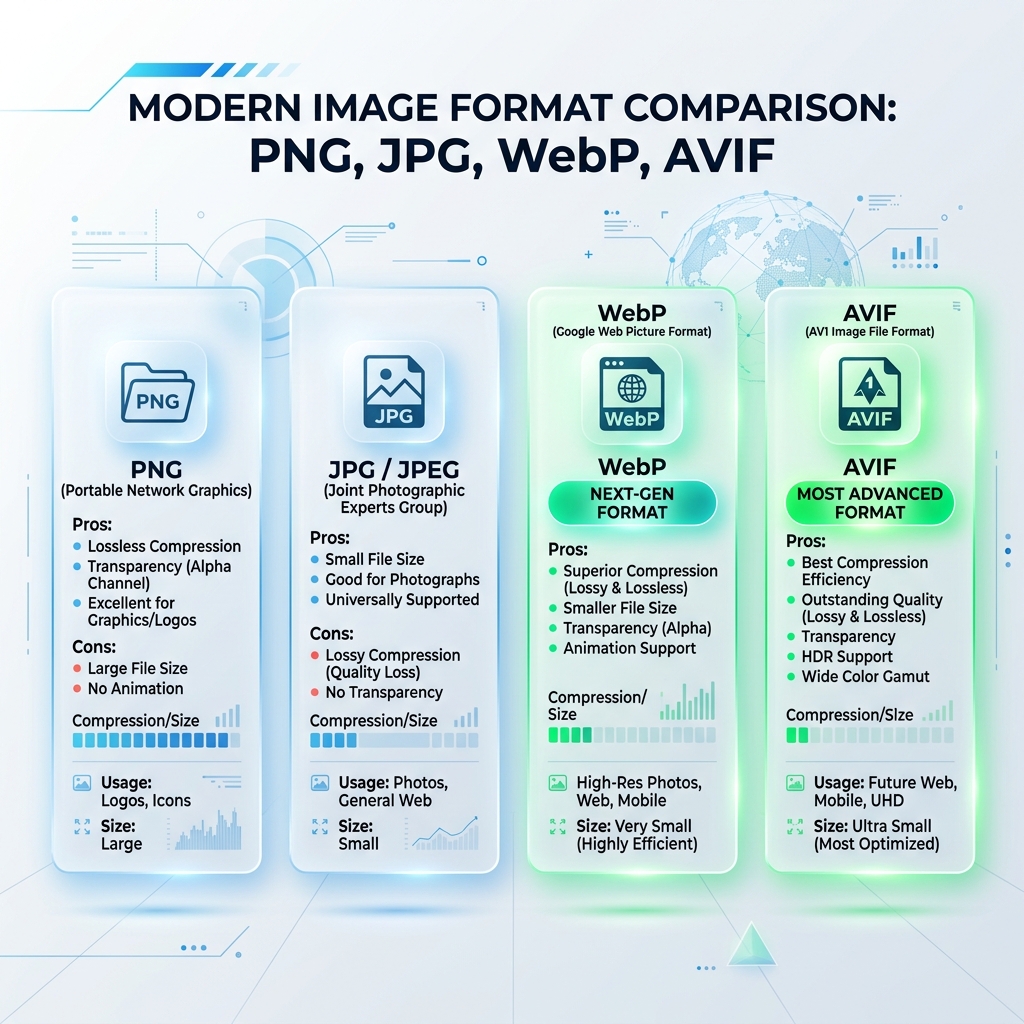
Understanding Lossless vs. Lossy Compression Algorithms
Lossless Compression Mechanics
Lossless compression (used by PNG via DEFLATE and lossless WebP) mathematically reconstructs every original pixel bit-for-bit. Savings come from dictionary encoding of repeated pixel runs and stripping non-pixel metadata (such as camera EXIF tags). Lossless compression is ideal for technical diagrams, UI screenshots, and logos with sharp text edges, typically reducing file weight by 5% to 20%.
Lossy Quantization & Chroma Subsampling
Lossy compression selectively discards high-frequency chrominance detail because the human visual system is far more sensitive to luminance (brightness) than to microscopic color variations. Applying a quality factor of 75 to 85 in our Compress Image or Bulk Compression tools frequently reduces photographic file sizes by 50% to 75% with minimal perceptible difference at normal viewing distances.
When uploading to government, university, or HR portals that enforce strict byte ceilings, you can skip manual quality sliders entirely and use pre-configured byte-target utilities such as Compress Image to 50KB or Compress Image to 100KB.
Moving Beyond Legacy Formats to WebP
While JPEG (1992) remains universally compatible, its 8×8 Discrete Cosine Transform grid struggles with sharp contrast boundaries and lacks alpha transparency. Modern WebP predictive coding achieves 25% to 35% smaller file sizes than equivalent-quality JPEG and 40% to 70% smaller file sizes than transparent PNGs.
You can convert existing assets directly in your browser without uploading files to any server using our client-side HTML5 Canvas JPG to WebP Converter and PNG to WebP Converter.
Physical Pixel Dimensions and Responsive Delivery
Compression alone cannot fix an image whose pixel dimensions are four times wider than its layout container. If an article column is 800 pixels wide, serving a 4000×3000 px photograph forces mobile devices to download and decode 12 megapixels of data when only 0.48 megapixels are displayed.
Before running final compression, scale your source images to match your target display breakpoints using our Resize Image tool (with aspect ratio lock enabled) or prepare platform-ready crops with Social Media Resize.
Frequently Asked Questions (FAQs)
What is the difference between lossy and lossless image compression?
Lossless compression (such as PNG DEFLATE) reconstructs the exact original pixels and strips non-essential metadata, typically saving 5% to 15%. Lossy compression (such as JPEG DCT or lossy WebP) selectively quantizes high-frequency color detail that the human eye rarely notices, reducing file sizes by 50% to 75%.
What quality setting should I use when compressing web images?
For most website photographs and hero banners, a quality setting between 75 and 85 in WebP or JPEG offers near-transparent visual fidelity while keeping file weight under 100 KB to 200 KB.
Does converting JPG to PNG reduce file size?
No. Because PNG is a lossless format and JPG is already lossy, converting a photographic JPG to PNG usually increases the file size. To reduce file size, convert JPG to WebP or compress the JPG directly.