Select up to 10 JPG/JPEG images
Drag and drop your JPEG files into the browser workspace.
100% IN-BROWSER WEBP CONVERTER
Processing: In your browser (HTML5 Canvas)TECHNICAL SPECIFICATIONS & LIMITS
Below are the verified technical parameters, batch limits, and processing details for JPG to WebP:
| Specification | Technical Behavior |
|---|---|
| Processing Architecture | In your browser (HTML5 Canvas API — zero server upload) |
| Accepted Input Formats | .JPG,.JPEG |
| Output Format | WebP (.webp via HTML5 Canvas toBlob or encrypted API fallback on Safari/iOS) |
| Batch Processing Limit | 10 files per batch |
| Configurable Parameters | WebP Quality (1-100) (1–100, default 85) |
| Transparency / Alpha Handling | Preserved when output format supports alpha (PNG, WebP, ICO) |
NEXT-GEN WEB FORMAT
WebP uses predictive intra-frame coding based on VP8 to compress photographic images 25% to 34% smaller than equivalent-quality JPEG files. Serving WebP images directly improves Largest Contentful Paint (LCP) and lowers bandwidth usage.
On modern Chromium browsers (Chrome, Edge, Brave, Opera) and Firefox, Toolcolabs runs JPG to WebP conversion 100% client-side in your browser using the native HTML5 Canvas API (canvas.toBlob('image/webp')). On Safari for iPhone, iPad, and Mac—where WebKit does not support native Canvas WebP encoding—the tool automatically falls back to our encrypted HTTPS API (with 30-minute auto-deletion) so Safari users always receive a genuine .webp file.
CLIENT-SIDE WORKFLOW
Because encoding happens in local browser memory via HTML5 Canvas, EXIF metadata (such as GPS coordinates and camera serial numbers) is automatically stripped during conversion.
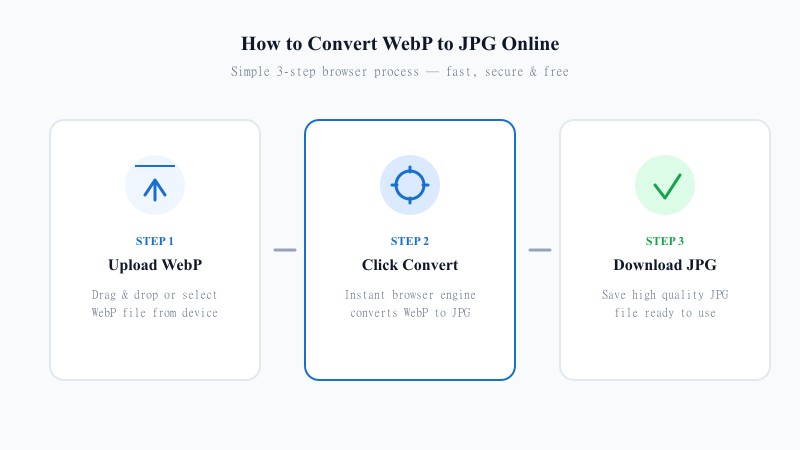
Drag and drop your JPEG files into the browser workspace.
Use the quality slider (1–100) to balance visual fidelity and file size reduction.
Your browser encodes the WebP files locally in milliseconds with zero network upload wait time.
REFERENCE MATRIX
| Specification | JPG / JPEG | WebP (Lossy) |
|---|---|---|
| Compression Algorithm | 8x8 Discrete Cosine Transform (DCT) | VP8 Block Predictive Coding + Entropy Encoding |
| Typical File Size | Baseline (100%) | 25%–34% smaller at equivalent SSIM quality |
| Transparency Support | No (24-bit RGB only) | Yes (supports 8-bit alpha channel) |
| Browser Support | 100% universal | 97%+ (Chrome, Safari 14+, Firefox, Edge) |
| Toolcolabs Processing Mode | N/A (Source input) | 100% In-Browser (HTML5 Canvas toBlob) |
Questions and answers
On Chrome, Edge, Firefox, Brave, and Opera, our JPG to WebP tool runs 100% inside your browser using the HTML5 Canvas API (canvas.toBlob('image/webp')) and your files never leave your device. On Safari/iOS (where WebKit lacks native Canvas WebP export), the tool automatically falls back to our encrypted HTTPS API and deletes temporary files within 30 minutes.
Yes. Because Apple's WebKit engine historically ignores 'image/webp' in canvas.toBlob() and outputs a PNG instead, Toolcolabs automatically detects Safari/iOS and routes the conversion through our encrypted HTTPS WebP encoder so iPhone and Mac users receive a genuine, standards-compliant .webp image.
A quality setting between 80 and 85 provides near-identical visual clarity to a high-quality JPEG while reducing file size by roughly 25% to 35%.
Yes. Encoding to WebP strips camera EXIF and GPS location tags, reducing file weight and protecting privacy before publishing on the web.
Yes, you can select and convert up to 10 JPG or JPEG images per batch (up to 15 MB per file).
No. While the WebP format supports transparency, a source JPG file has a solid background. Converting JPG to WebP preserves that solid background.