Upload your GIF file
Drag it in or click to browse from your device.
FREE ONLINE IMAGE CONVERTER
Processing: Server-processed (Encrypted HTTPS)TECHNICAL SPECIFICATIONS & LIMITS
Below are the verified technical parameters, batch limits, and processing details for GIF to PNG:
| Specification | Technical Behavior |
|---|---|
| Processing Architecture | Server-processed via encrypted HTTPS API (ephemeral memory, deleted within 30 minutes) |
| Accepted Input Formats | .GIF |
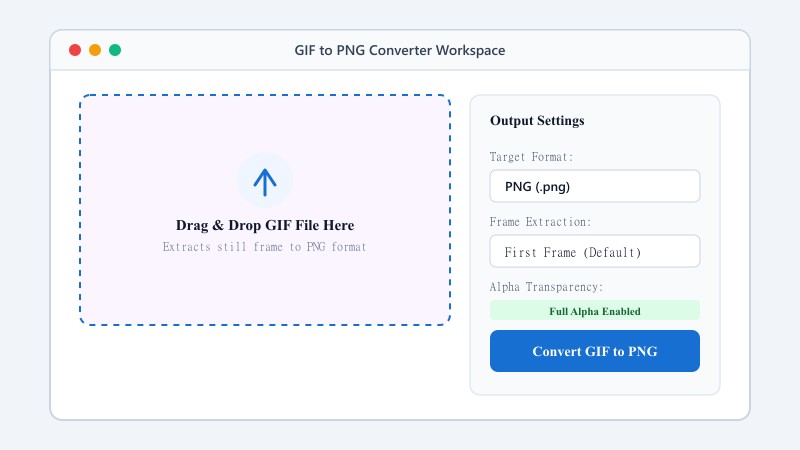
| Output Format | PNG (Lossless 24-bit/32-bit RGBA) |
| Batch Processing Limit | 10 files per batch |
| Configurable Parameters | Automatic preset optimization |
| Transparency / Alpha Handling | Preserved when output format supports alpha (PNG, WebP, ICO) |
COLOR & TRANSPARENCY UPGRADE
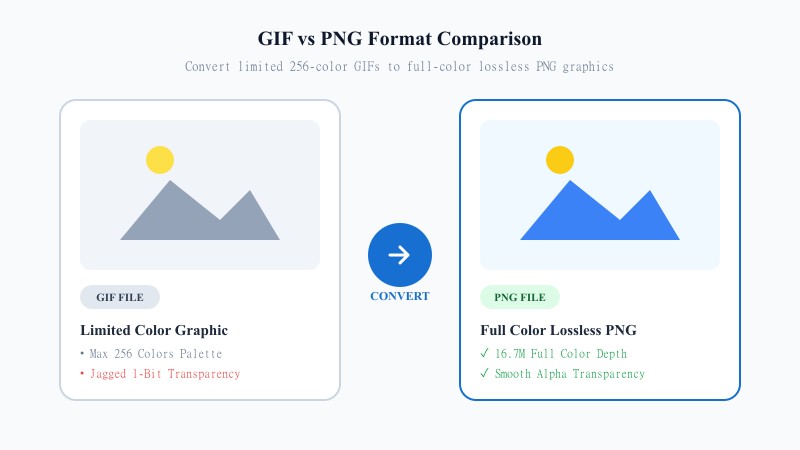
GIF was built for simple animations and looping images, and it does that job fine, but it's not great as a general-purpose image format. It only supports 256 colors, which means anything with gradients or subtle shading tends to look banded or off. It also handles transparency in a fairly limited way compared to more modern formats.
PNG fixes both of those problems. It supports full, unlimited colors, so images come out looking accurate and smooth, and it handles transparency properly with clean edges instead of the jagged, single-color transparency GIF is stuck with. If you're pulling a still image out of a GIF, or you've just been sent a GIF that really should've been a PNG in the first place, converting it over is usually the right move.
NO SOFTWARE NEEDED
You genuinely don't need Photoshop or any editing software to do this. This tool does it for free, online without installing any software, whether you're on a phone, tablet, or computer.
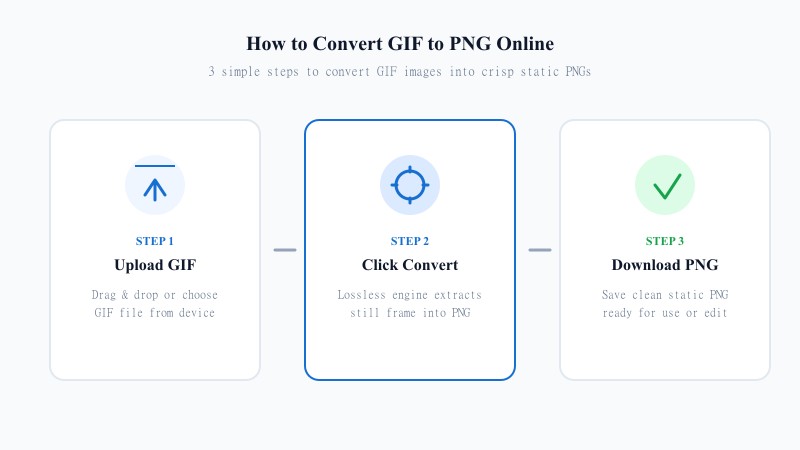
Drag it in or click to browse from your device.
The tool converts your GIF into a lossless PNG automatically.
Your static PNG image is ready in seconds, saved straight to your device.
LOSSLESS PRESERVATION
Since PNG is a lossless format, converting from GIF to PNG doesn't add any extra compression or degrade what's already there. Whatever detail existed in the original GIF frame carries over cleanly.
The only real limitation is the source file itself — if the original GIF was already low quality or had its colors compressed down to that 256-color palette, the PNG conversion won't magically add detail that wasn't there to begin with. But nothing is lost in the conversion process itself.
SEO FORMAT ANALYSIS
| Feature / Aspect | GIF Format | PNG Format |
|---|---|---|
| Color Palette | 256 Colors (Indexed) | 16.7 Million+ Colors (24-bit Truecolor) |
| Transparency Support | Binary 1-bit transparency (Jagged edges) | Full Alpha Channel Transparency (Smooth edges) |
| Compression Type | Lossy / Index Color Compression | 100% Lossless Compression |
| Animation Support | Supported (Multi-frame loops) | Static image only (Single frame) |
| Graphic Clarity | Banded gradients & dithering artifacts | Crisp gradients, sharp text & vector graphics |
| Best Use Case | Simple animated clips & memes | Logos, icons, web graphics & static image extraction |
PRACTICAL USES
100% FREE ONLINE TOOL
REFERENCE MATRIX
| Feature | GIF Format | PNG Format |
|---|---|---|
| Color Palette | Limited to 256 colors | Full 16.7 million colors + alpha channel |
| Image Clarity | Dithered pixel artifacts | Crisp lossless resolution |
| Best For | Simple web animations | High-quality still graphics & logos |
Questions and answers
Yes, completely free, no daily limits, no ads, and no signup required.
The tool converts a single frame (typically the first) into a static PNG image, since PNG doesn't support animation.
No, PNG is a lossless format, so nothing is lost during conversion. The output is only as good as the original GIF's quality.
No, everything happens online without installing any software — no software required.
Yes, files are processed securely and are never stored or shared.
Yes, batch conversion is supported so you can convert several files in one session.