Upload your GIF file
Drag it in, or click to browse from your device.
FREE ONLINE IMAGE CONVERTER
Processing: Server-processed (Encrypted HTTPS)TECHNICAL SPECIFICATIONS & LIMITS
Below are the verified technical parameters, batch limits, and processing details for GIF to JPG:
| Specification | Technical Behavior |
|---|---|
| Processing Architecture | Server-processed via encrypted HTTPS API (ephemeral memory, deleted within 30 minutes) |
| Accepted Input Formats | .GIF |
| Output Format | JPEG (.jpg, 24-bit RGB) |
| Batch Processing Limit | 10 files per batch |
| Configurable Parameters | Automatic preset optimization |
| Transparency / Alpha Handling | Flattened onto solid background (JPEG does not store an alpha channel) |
UNIVERSAL COMPATIBILITY
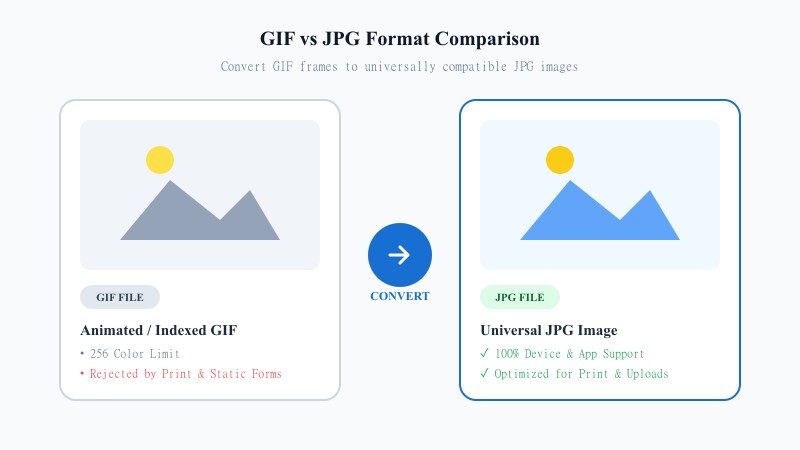
GIF was designed for short animations and simple looping images, which it handles fine, but as a general image format it falls short. It's limited to 256 colors, so anything with smooth gradients or subtle shading tends to look banded or rough. It's also not the format most tools, print services, or platforms expect when you're just dealing with a single static picture.
JPG is the opposite — it's the most widely supported image format out there, handling full color ranges smoothly and opening without issue on literally any device, browser, or piece of software. If you need a still image from a GIF that's going to be printed, emailed, or uploaded somewhere picky about file types, JPG is usually the safest bet.
NO SOFTWARE NEEDED
If the GIF is animated, the tool takes a single frame (usually the first) and converts that into a static JPG. Works identically on your phone, tablet, or computer — no software or app installs needed.
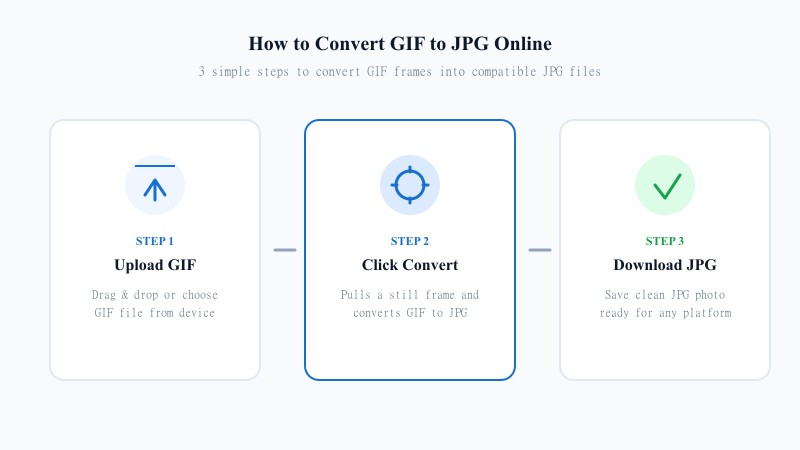
Drag it in, or click to browse from your device.
The tool pulls a still frame and converts it to JPG automatically.
Your converted JPG photo is ready in seconds, saved straight to your device.
MINIMAL COMPRESSION
JPG is a compressed format, so there's a small amount of quality adjustment involved in any conversion to JPG — that's just how the format works. This tool keeps that adjustment as minimal as possible, so the difference between the original GIF frame and the converted JPG is barely noticeable.
Worth keeping in mind: if the source GIF was already low quality (GIFs are limited to 256 colors), the JPG conversion can't recover detail that wasn't there in the first place — but it won't add any extra degradation on top of that either.
SEO FORMAT ANALYSIS
| Feature / Aspect | GIF Format | JPG Format |
|---|---|---|
| Device & App Compatibility | Limited in static upload forms | 100% Universal (All platforms & printers) |
| Color Depth & Palette | 256 Colors (Indexed) | 16.7 Million+ Colors (Full 24-bit Truecolor) |
| Animation Support | Supported (Multi-frame loop) | Static image only (Single frame) |
| File Size Optimization | Larger for static graphics | Optimized file size with JPEG compression |
| Printing & Commercial Use | Poor print support | Industry standard for printing & documents |
| Best Use Case | Animated memes & short clips | Email attachments, printing, social media & web uploads |
PRACTICAL USES
100% FREE ONLINE TOOL
REFERENCE MATRIX
| Feature | GIF Format | JPG Format |
|---|---|---|
| Color Range | Restricted 8-bit palette | Truecolor 24-bit representation |
| File Efficiency | Bulky for still photos | Compact photographic compression |
| Use Case | Legacy animated clips | Printed photos & universal web images |
Questions and answers
Yes, completely free, no daily limits, no ads, and no signup required.
The tool converts a single frame (usually the first) into a static JPG image, since JPG can't support animation.
There's a small amount of compression involved since JPG isn't lossless, but it's kept minimal. Quality is also limited by the original GIF's color range.
No, everything happens online without installing any software — no software needed.
Yes, files are processed securely and are never stored or shared.
Yes, batch conversion is supported so you can convert several files in one session.