Add up to 10 PNG files
Select your transparent logos, icons, or screenshots.
100% IN-BROWSER WEBP CONVERTER
Processing: In your browser (HTML5 Canvas)TECHNICAL SPECIFICATIONS & LIMITS
Below are the verified technical parameters, batch limits, and processing details for PNG to WebP:
| Specification | Technical Behavior |
|---|---|
| Processing Architecture | In your browser (HTML5 Canvas API — zero server upload) |
| Accepted Input Formats | .PNG |
| Output Format | WebP (.webp via HTML5 Canvas toBlob or encrypted API fallback on Safari/iOS) |
| Batch Processing Limit | 10 files per batch |
| Configurable Parameters | WebP Quality (1-100) (1–100, default 85) |
| Transparency / Alpha Handling | Alpha channel preserved in 32-bit RGBA WebP output |
TRANSPARENT WEBP GRAPHICS
Transparent PNG files are often the heaviest assets on a web page because PNG relies on lossless DEFLATE compression. WebP supports full 8-bit alpha channel transparency even in lossy/high-efficiency modes, frequently reducing transparent graphic sizes by 40% to 70%.
On modern Chromium browsers (Chrome, Edge, Brave, Opera) and Firefox, Toolcolabs processes PNG to WebP conversions 100% locally in your browser via the HTML5 Canvas 2D context. On Safari for iPhone, iPad, and Mac—where WebKit does not support native Canvas WebP encoding—the tool automatically falls back to our encrypted HTTPS API (with 30-minute auto-deletion) so Safari users receive a genuine transparent .webp file.
LOCAL CANVAS ENCODING
Because the HTML5 Canvas retains the full RGBA pixel array before calling canvas.toBlob(..., 'image/webp'), all transparent and semi-transparent drop-shadow pixels remain intact.
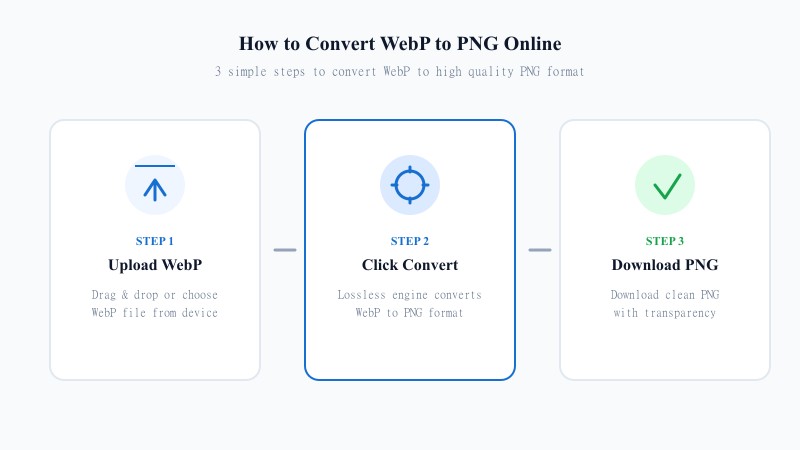
Select your transparent logos, icons, or screenshots.
Use 90–100% for crisp UI icons and text, or 80–85% for photographic cutouts.
Save your converted .webp files instantly from browser memory.
REFERENCE MATRIX
| Specification | PNG (RGBA) | WebP (RGBA) |
|---|---|---|
| Transparency Support | 8-bit Alpha Channel (256 levels) | 8-bit Alpha Channel (256 levels) |
| Compression Method | Lossless DEFLATE (LZ77 + Huffman) | VP8 Predictive / WebP Lossless Entropy |
| Typical Transparent Asset Size | 500 KB – 2 MB (heavy on web) | 120 KB – 450 KB (60%+ smaller) |
| Processing Location | N/A (Source input) | 100% In-Browser (HTML5 Canvas API) |
Questions and answers
Yes. Unlike JPG, WebP natively supports an 8-bit alpha channel. Both our in-browser HTML5 Canvas encoder and our Safari fallback encoder preserve all transparent and semi-transparent pixels from your source PNG.
On Chrome, Edge, Firefox, Brave, and Opera, PNG to WebP conversion runs 100% inside your browser using native HTML5 Canvas encoding and your files never leave your device. On Safari/iOS (where WebKit lacks native Canvas WebP export), the tool automatically falls back to our encrypted HTTPS API and deletes temporary files within 30 minutes.
Yes. Because Safari's WebKit engine does not natively encode WebP via canvas.toBlob('image/webp'), Toolcolabs automatically detects Safari/iOS and uses our encrypted HTTPS encoder so iPhone and Mac users get a true transparent .webp file.
Depending on the image content and quality setting (default 85%), WebP files with transparency are typically 40% to 70% smaller than PNG-24/PNG-32 files.
For sharp UI screenshots, text, and vector-like logos, choose 90% to 100% quality. For photographic product cutouts with transparent backgrounds, 82% to 88% offers an ideal balance.
Yes, you can convert up to 10 PNG images at once (up to 15 MB per file) with instant downloading.