How to Compress & Convert Images Without Losing Quality in 2026
Learn practical, verifiable techniques to resize, compress, and convert web images into WebP and AVIF without sacrificing visual clarity.
Read guideFREE ONLINE IMAGE CONVERTER
Processing: Server-processed (Encrypted HTTPS)TECHNICAL SPECIFICATIONS & LIMITS
Below are the verified technical parameters, batch limits, and processing details for TIFF to PNG:
| Specification | Technical Behavior |
|---|---|
| Processing Architecture | Server-processed via encrypted HTTPS API (ephemeral memory, deleted within 30 minutes) |
| Accepted Input Formats | .TIF,.TIFF |
| Output Format | PNG (Lossless 24-bit/32-bit RGBA) |
| Batch Processing Limit | 10 files per batch |
| Configurable Parameters | Automatic preset optimization |
| Transparency / Alpha Handling | Preserved when output format supports alpha (PNG, WebP, ICO) |
LOSSLESS FORMAT
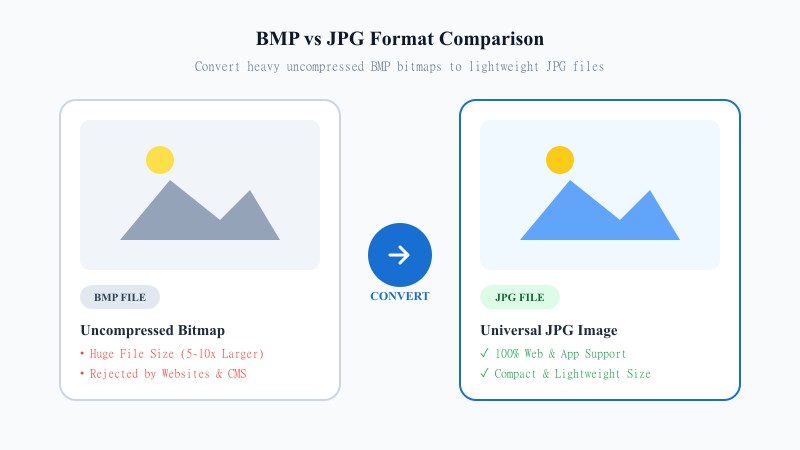
TIFF is built for print and archiving — it stores images with minimal compression, which keeps quality extremely high but also makes files large and clunky for everyday use. It's the standard in professional scanning and design workflows, but it's a poor fit for the web or for sharing quickly.
PNG is the modern alternative for that use case. It compresses images losslessly, meaning no quality is thrown away, and it's supported everywhere — web browsers, design tools, apps, you name it. PNG also supports transparency, which TIFF technically can too, but far less consistently across different software. If you need a clean, universally compatible file that still looks exactly like the original, PNG is usually the better landing spot.
EASY 3-STEP PROCESS
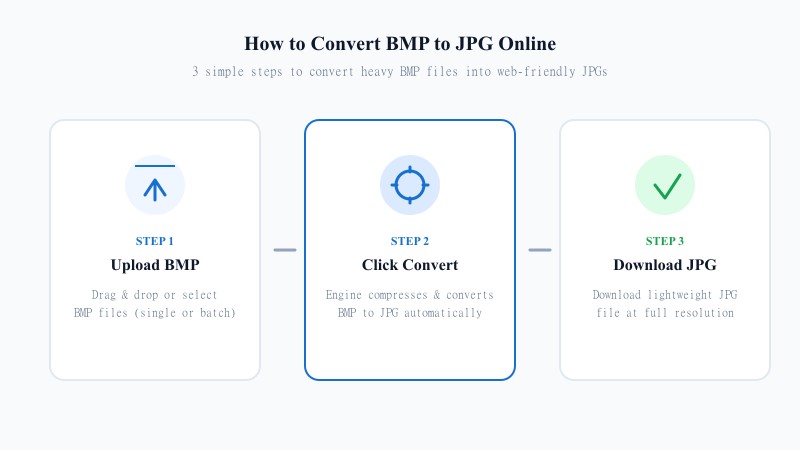
No installs, no design software, no fuss. Here's the process:
PIXEL PERFECT
Here's the good part: PNG is lossless. Unlike JPG, it doesn't discard any image data to shrink the file — it just compresses more efficiently. That means when you convert TIFF to PNG, your image comes out pixel-for-pixel identical to the original. No blur, no compression artifacts, nothing lost.
The trade-off is file size. PNG files, especially for detailed or photo-like images, won't shrink nearly as dramatically as JPG would. If you're prioritizing quality over squeezing out every last megabyte, that's the right call — but if file size is your main concern, JPG might suit you better for that particular image.
Resolution stays untouched throughout the process — the converter doesn't resize or crop, it simply re-encodes the pixel data into PNG format at the exact same dimensions as your original TIFF.
One honest caveat: if your TIFF is a multi-page file (common with scanned documents), only the first page will be converted, since PNG — like JPG — doesn't support multiple pages in a single file. For multi-page scans, you'll want to convert each page individually or export to PDF instead.
USE CASES
FORMAT COMPARISON
Neither format is universally 'better' — it depends on what you're doing. TIFF is excellent for print production, professional photography, and archiving where uncompressed quality matters most. But it's heavy and poorly supported outside specialized software. PNG trades a bit of that print-specific flexibility for lossless compression, transparency support, and compatibility with basically every browser, app, and platform out there. For web use, sharing, and general day-to-day work, PNG is almost always the more practical choice.
| Feature / Aspect | TIFF Format (Tagged Image) | PNG Format (Portable Network Graphics) |
|---|---|---|
| Compression Model | Uncompressed / Lossless LZW | Lossless Deflate Compression |
| Transparency Support | Variable Across Software | 100% Full Alpha Channel Transparency |
| Web Browser Acceptance | Not Supported natively | Universal across all Browsers |
| Multi-page Documents | Supported (Can hold pages) | Single Page Only |
| File Size & Efficiency | Very Large | Optimized & Lossless |
| Best Environment | Desktop Print & Scanning Software | Websites, Apps, Digital Design & Editing |
REFERENCE MATRIX
| Feature | TIFF Format | PNG Format |
|---|---|---|
| Usage Scope | Scanner & print workflows | Digital UI, web graphics & transparent logos |
| Lossless Compression | Uncompressed / LZW | PNG DEFLATE compression |
| Web Accessibility | Incompatible with web browsers | Fully native across all web standards |
Questions and answers
Yes, completely free with no hidden costs or premium plans.
No — PNG is lossless, so your image quality stays exactly the same as the original.
No, the entire process happens online.
Yes, your files are processed securely and aren't stored or shared afterward.
Yes, batch conversion lets you upload and convert several files together.
Yes, the tool doesn't resize or crop — dimensions stay exactly the same.
Only the first page converts, since PNG doesn't support multi-page files like TIFF does.