How to Compress & Convert Images Without Losing Quality in 2026
Learn practical, verifiable techniques to resize, compress, and convert web images into WebP and AVIF without sacrificing visual clarity.
Read guideFREE ONLINE IMAGE CONVERTER
Processing: Server-processed (Encrypted HTTPS)TECHNICAL SPECIFICATIONS & LIMITS
Below are the verified technical parameters, batch limits, and processing details for TIFF to JPG:
| Specification | Technical Behavior |
|---|---|
| Processing Architecture | Server-processed via encrypted HTTPS API (ephemeral memory, deleted within 30 minutes) |
| Accepted Input Formats | .TIF,.TIFF |
| Output Format | JPEG (.jpg, 24-bit RGB) |
| Batch Processing Limit | 10 files per batch |
| Configurable Parameters | Automatic preset optimization |
| Transparency / Alpha Handling | Flattened onto solid background (JPEG does not store an alpha channel) |
SMART COMPRESSION
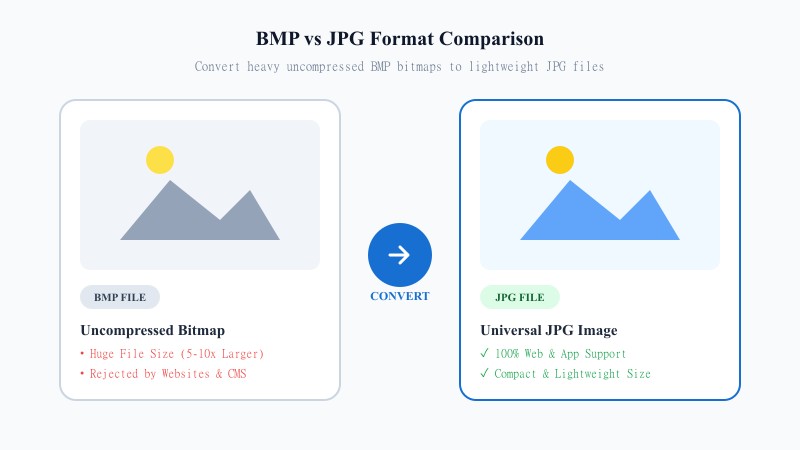
TIFF (Tagged Image File Format) is the go-to format in professional printing, scanning, and photography workflows. It stores images with little to no compression, which means excellent quality — but also massive file sizes. A single TIFF scan can easily be 20-50MB, sometimes more if it's a multi-page document.
JPG flips that equation. It's compressed, small, and supported everywhere — websites, phones, email, social platforms, you name it. So when you convert TIFF to JPG, you're taking a format built for archiving and print, and turning it into something practical for sharing, uploading, and everyday use.
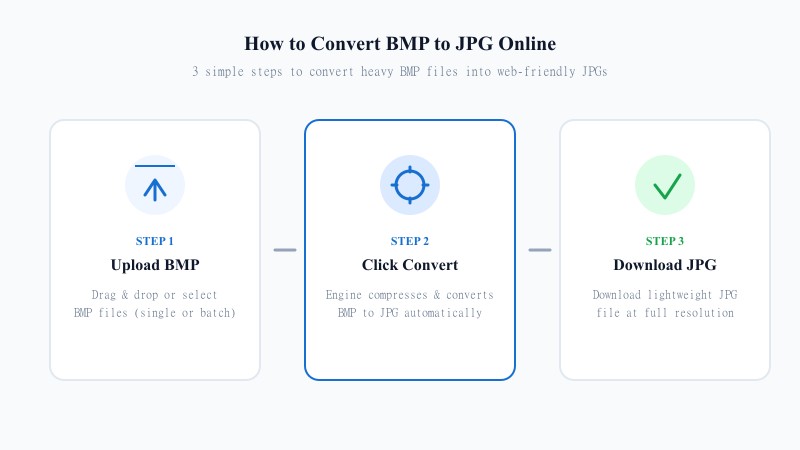
EASY 3-STEP PROCESS
No Photoshop, no Preview app fiddling, no installs. Here's how to convert TIFF to JPG without any software:
HIGH RESOLUTION
Honestly? A little, but it's rarely noticeable. JPG is a lossy format, meaning it compresses by discarding some data your eye typically won't catch at normal quality settings. For scanned documents, photos, and most everyday images, the difference between the original TIFF and the converted JPG is negligible — you'd need to zoom in significantly to spot any artifacts.
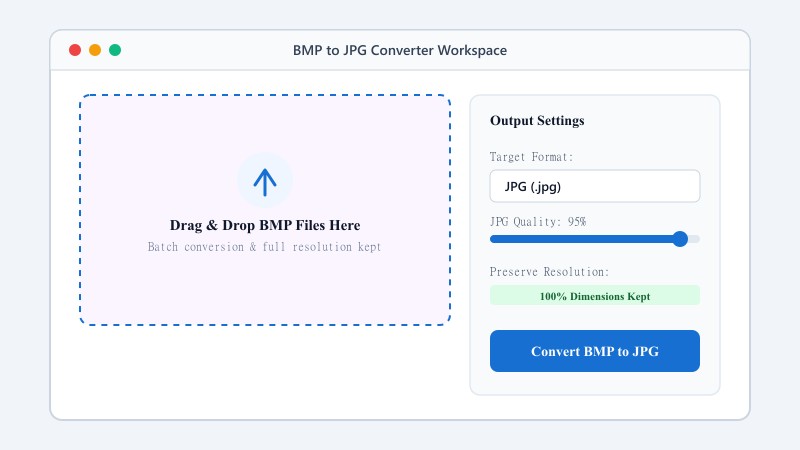
The best way to convert TIFF to JPG while keeping the same quality is to use a converter that applies high-quality compression by default rather than aggressively shrinking the file. That's exactly how this tool is set up — it prioritizes keeping your image looking sharp over squeezing out every last kilobyte.
As for resolution, converting TIFF to JPG while keeping the same resolution is standard behavior here. Your image dimensions won't change — the tool re-encodes the pixel data into JPG format without resizing or cropping anything.
One thing worth knowing: if your TIFF file is a multi-page document (TIFFs can hold multiple pages, unlike JPG), only the first page will convert. JPG simply doesn't support multi-page files, so if you've got a multi-page TIFF, you'll want to convert each page separately or use a PDF instead.
USE CASES
FORMAT COMPARISON
TIFF is designed for lossless archival quality and professional print publishing, resulting in massive file sizes that most websites reject. JPG trades a slight amount of unnoticeable data for huge file size reductions and universal browser compatibility. For everyday web sharing and uploading, JPG is far more practical.
| Feature / Aspect | TIFF Format (Tagged Image) | JPG Format (Universal) |
|---|---|---|
| Compression Type | Uncompressed / Lossless LZW | Lossy JPEG Compression |
| File Size | Massive (20MB – 50MB+) | Lightweight (1MB – 3MB) |
| Web & Device Acceptance | Limited (Not supported in web browsers) | Universal across All Devices & Browsers |
| Multi-page Support | Yes (Can hold multiple pages) | No (Single static image) |
| Primary Use Case | Professional Print & Scanner Archives | Web, Email, Social Media & Previews |
100% FREE ONLINE TOOL
REFERENCE MATRIX
| Feature | TIFF Format | JPG Format |
|---|---|---|
| Industry Standard | Print publishing & desktop publishing | Web publishing & digital cameras |
| File Weight | Heavy uncompressed print file | Lightweight compressed web asset |
| Browser Display | Requires desktop viewer | Natively displayed by all web browsers |
Questions and answers
Yes, completely free with no hidden fees or premium tiers.
No, your converted JPG is watermark-free.
There's some compression since JPG is a lossy format, but at normal settings, it's barely noticeable to the eye.
No, everything happens online without installing any software.
Yes, files are processed securely and not stored or shared afterward.
Yes, batch conversion is supported for uploading and converting several files together.
Only the first page converts, since JPG doesn't support multi-page files.