How to Compress & Convert Images Without Losing Quality in 2026
Learn practical, verifiable techniques to resize, compress, and convert web images into WebP and AVIF without sacrificing visual clarity.
Read guideFREE ONLINE IMAGE CONVERTER
Processing: Server-processed (Encrypted HTTPS)TECHNICAL SPECIFICATIONS & LIMITS
Below are the verified technical parameters, batch limits, and processing details for SVG to PNG:
| Specification | Technical Behavior |
|---|---|
| Processing Architecture | Server-processed via encrypted HTTPS API (ephemeral memory, deleted within 30 minutes) |
| Accepted Input Formats | .SVG |
| Output Format | PNG (Lossless 24-bit/32-bit RGBA) |
| Batch Processing Limit | 10 files per batch |
| Configurable Parameters | Width; Height |
| Transparency / Alpha Handling | Preserved when output format supports alpha (PNG, WebP, ICO) |
VECTOR TO RASTER
SVG (Scalable Vector Graphics) isn't like a regular image — it's built from math and code rather than pixels, which is exactly why it scales to any size without getting blurry. Designers and developers love it for icons, logos, and illustrations because of that flexibility. But that same thing that makes SVG great also makes it a pain outside of design and web environments. A lot of apps, editing tools, and even some platforms simply don't know what to do with an SVG file.
PNG doesn't have that issue. It's a raster format, meaning it's made of actual pixels, and it's supported by pretty much everything — every editor, every app, every website upload form you'll ever run into. It also keeps transparency, so if your SVG has a transparent background (which a lot of logos do), that carries over cleanly into the PNG. When you need something that just works without a fuss, converting SVG to PNG is usually the answer.
EASY 3-STEP PROCESS
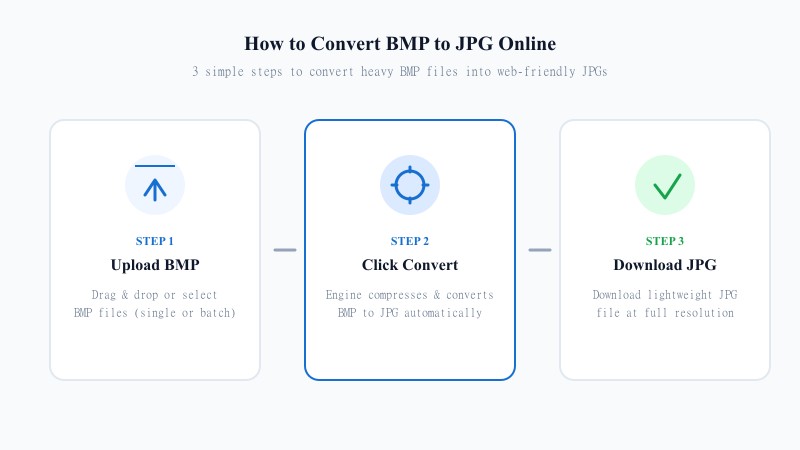
You don't need Illustrator, Figma, or any design software installed to do this. The tool handles everything online in seconds:
HIGH RESOLUTION
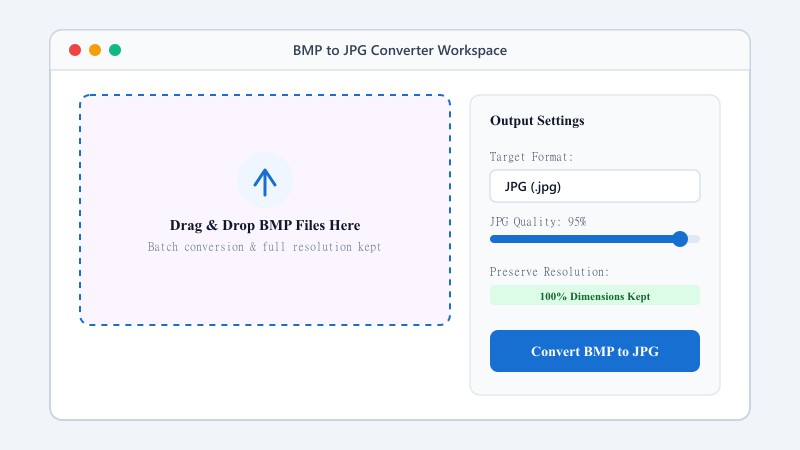
Since SVG is resolution-independent, converting it to a fixed-pixel format like PNG naturally involves picking a size — but that doesn't mean you have to sacrifice sharpness. This tool renders your SVG at a high resolution before converting, so the resulting PNG stays crisp and clean, not pixelated or fuzzy around the edges the way a low-quality converter might produce.
Whether you're exporting an icon, a logo, or a full illustration, the PNG you download will look just as sharp as the original SVG did.
A lot of free converters cut corners on resolution or strip out transparency without telling you. This tool doesn't do either. It's built to give you a clean, high-quality PNG output every time — transparent background intact if your SVG had one, and detail preserved at a size that actually holds up whether you're using it on a website, in a document, or for print.
USE CASES
FORMAT COMPARISON
SVG is ideal for responsive web design, scalability, and code manipulation. PNG is optimal for universal software compatibility, legacy office suites, social media, and fixed-resolution image editing. Converting SVG to PNG bridges vector graphics into standard pixel workflows.
| Feature / Aspect | SVG Format (Scalable Vector) | PNG Format (Portable Network Graphics) |
|---|---|---|
| Format Structure | Vector Math & XML Code | Raster Pixels |
| Scalability | Infinite Without Loss | Fixed Resolution |
| Transparency Support | Supported | Supported (Alpha Channel) |
| Software Compatibility | Web Browsers & Design Software | Universal across All Apps & OS |
| Best Environment | Responsive Web Logos & Icons | Word Docs, Presentations, Social Media & Printing |
100% FREE ONLINE TOOL
REFERENCE MATRIX
| Feature | SVG Vector | PNG Raster |
|---|---|---|
| Scalability | Infinite math vector scaling | Fixed pixel grid dimensions |
| Document Embedding | Incompatible with Word / Docs apps | Directly insertable into all documents |
| Rendering Performance | CPU dependent rendering | Pre-rendered fast pixel bitmap |
Questions and answers
Yes, completely free, with no limit on how many files you can convert.
Yes, if your SVG has a transparent background, it stays transparent in the converted PNG.
No, everything happens online without installing any software — no software required.
No, the tool renders your SVG at a high resolution before converting, so the PNG stays sharp.
Yes, your files are processed securely and never stored or shared.
Yes, batch conversion is supported so you can convert several files in one go.