How to Compress & Convert Images Without Losing Quality in 2026
Learn practical, verifiable techniques to resize, compress, and convert web images into WebP and AVIF without sacrificing visual clarity.
Read guideFREE ONLINE IMAGE CONVERTER
Processing: Server-processed (Encrypted HTTPS)TOOL OVERVIEW
You've got a handful of photos, scanned pages, or screenshots, and you need them as one clean PDF — for a job application, a school assignment, an invoice, whatever. Emailing five separate JPGs feels messy, and not everyone wants to open a folder of loose images. Converting them into a single PDF is the obvious fix, and you can do it online, for free, without touching Photoshop or installing anything.
TECHNICAL SPECIFICATIONS & LIMITS
Below are the verified technical parameters, batch limits, and processing details for Images to PDF:
| Specification | Technical Behavior |
|---|---|
| Processing Architecture | Server-processed via encrypted HTTPS API (ephemeral memory, deleted within 30 minutes) |
| Accepted Input Formats | JPG, JPEG, PNG, WEBP |
| Output Format | PDF (.pdf document) |
| Batch Processing Limit | 10 files per batch |
| Configurable Parameters | Automatic preset optimization |
| Transparency / Alpha Handling | Preserved when output format supports alpha (PNG, WebP, ICO) |
Images — JPG, PNG, photos straight from your phone — are great for viewing, but they're awkward to share as a group. PDF, on the other hand, is the format everyone expects for documents. It's what gets accepted for job applications, government forms, school submissions, and professional correspondence. One PDF instead of ten scattered image files is just easier for everyone involved, including you.
Converting JPG images to PDF or PNG images to PDF also keeps everything in the right order, on separate pages, in a file that opens identically no matter what device someone's using. That consistency is something individual image files just can't offer.
No Photoshop, no printer drivers, no apps to download. Here's how to convert images to PDF without any software:
That's how to convert JPG to PDF online for free and how to convert PNG to PDF online for free — same process either way, since the tool handles both formats automatically.
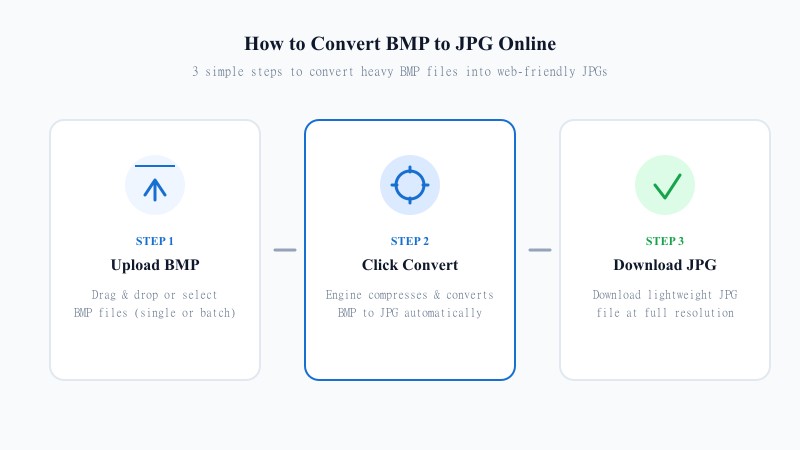
This is probably the most common reason people land here: combining multiple JPG images into one PDF, or merging a stack of PNGs, or even mixing formats together. Here's how to convert multiple images to one PDF:
Whether you're merging photos into a single PDF for a portfolio, combining scanned pages of a contract, or putting together a batch of receipts, this process works the same way regardless of how many images you're throwing at it.
Good news here: converting an image to PDF doesn't compress or degrade your image the way, say, converting JPG to a smaller JPG might. The image gets embedded into the PDF pretty much as-is, so what you see is what you uploaded. Resolution and detail stay intact.
That said, PDF page sizing can affect how large your image appears — if your photo doesn't match a standard page ratio (like A4 or Letter), there may be some white space around it, or the tool may need to fit it to the page. This is a layout issue, not a quality one — your actual image data isn't altered.
REFERENCE MATRIX
| Feature / Aspect | Multiple Separate Images (JPG / PNG) | Combined PDF Document |
|---|---|---|
| File Sharing | Multiple attachments (Messy) | Single file attachment (Clean) |
| Page Sequence & Order | Unpredictable across apps | Fixed page order preserved |
| Official Acceptance | Rejected by many portals & forms | Universally accepted for applications |
| Cross-Device Display | Varies by photo viewer | 100% Identical on all OS & devices |
| Primary Application | Photo gallery & web graphics | Job applications, invoices & contracts |
Questions and answers
Yes, completely free with no hidden costs.
No — this works entirely online, no installs or design software required.
Yes, you can upload several JPGs or PNGs and merge them into a single multi-page PDF.
No, your images are embedded into the PDF without added compression, so quality stays intact.
Yes, files are processed securely and aren't stored or shared after conversion.
Yes, you can arrange the order before generating the final PDF.
Yes, it works on any device with a browser — no OS-specific software needed.