How to Compress & Convert Images Without Losing Quality in 2026
Learn practical, verifiable techniques to resize, compress, and convert web images into WebP and AVIF without sacrificing visual clarity.
Read guideFREE ONLINE IMAGE CONVERTER
Processing: Server-processed (Encrypted HTTPS)TECHNICAL SPECIFICATIONS & LIMITS
Below are the verified technical parameters, batch limits, and processing details for BMP to PNG:
| Specification | Technical Behavior |
|---|---|
| Processing Architecture | Server-processed via encrypted HTTPS API (ephemeral memory, deleted within 30 minutes) |
| Accepted Input Formats | .BMP |
| Output Format | PNG (Lossless 24-bit/32-bit RGBA) |
| Batch Processing Limit | 10 files per batch |
| Configurable Parameters | Automatic preset optimization |
| Transparency / Alpha Handling | Preserved when output format supports alpha (PNG, WebP, ICO) |
LOSSLESS FORMAT
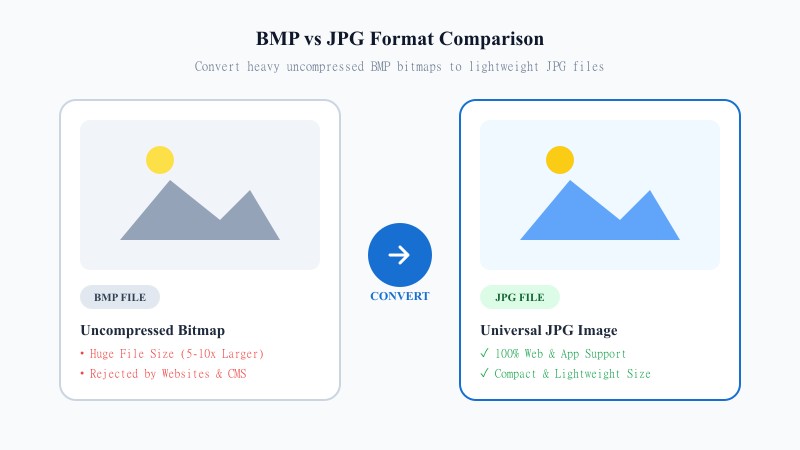
BMP stores images with little or no compression, so files are large and rarely optimized for anything beyond local storage. PNG, meanwhile, is a modern, widely-supported format built for the web and for design work. It compresses files losslessly and supports transparency — something BMP was never designed to handle well.
If you're working with logos, icons, screenshots with text, or graphics that need crisp edges, PNG is usually the better home for that image. It's also the standard format for a lot of design software, web development, and anywhere image clarity matters more than tiny file size.
EASY 3-STEP PROCESS
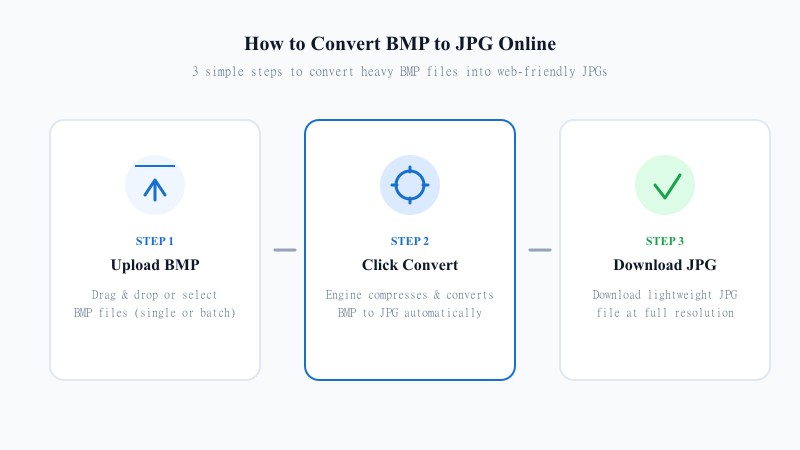
No need to install anything — here's how to convert BMP to PNG without any software, right from your browser:
MAXIMUM CLARITY
Here's the good news: PNG is a lossless format. Unlike JPG, it doesn't throw away any image data during compression — it just packages the pixel data more efficiently. That means when you convert BMP to PNG, you're not sacrificing any visual quality at all. What you upload is, pixel for pixel, what you'll get back.
The one trade-off is file size. Because PNG doesn't discard data, it won't shrink your file nearly as much as JPG would, especially for photo-heavy images. But if quality is your priority, that's a fair trade.
Resolution-wise, nothing changes either. Converting BMP to PNG while keeping the same resolution is standard — the tool re-encodes your image without resizing, cropping, or altering the pixel dimensions in any way.
One honest note: BMP files don't usually contain transparency data, so if you're hoping for a transparent background out of a straight BMP-to-PNG conversion, you won't get one automatically — the transparency has to already exist in some form, and standard BMPs are typically fully opaque. What you will get is a clean, lossless PNG ready for further editing if you need to add transparency later in an image editor.
POPULAR USE CASES
FORMAT MATRIX
BMP isn't really built for anything beyond legacy local storage — it's uncompressed, heavy, and poorly supported outside Windows-native tools. PNG solves nearly all of that: it's compressed (without losing quality), supports transparency, and is supported everywhere from web browsers to design software to social platforms. For basically any modern use case, PNG is the more practical choice.
| Feature / Aspect | BMP Format (Bitmap) | PNG Format (Portable Network Graphics) |
|---|---|---|
| Compression Type | Uncompressed / Raw Pixels | Lossless Compression (Zero Quality Loss) |
| File Size | Extremely Large (5-10x bigger) | Optimized & Smaller than BMP |
| Transparency Support | No / Opaque Only | Full Alpha Channel Transparency |
| Web & App Compatibility | Poor (Rejected by many web apps) | Universal across Browsers & Design Tools |
| Image Quality | Lossless (Raw) | Lossless (100% Identical Pixels) |
| Primary Use Case | Legacy Windows Local Files | Web Graphics, Logos, Screenshots & Design Work |
100% FREE ONLINE TOOL
REFERENCE MATRIX
| Feature | BMP Format | PNG Format |
|---|---|---|
| Data Compression | Uncompressed bitmap data | Lossless compressed data (DEFLATE) |
| File Size Reduction | 0% size optimization | Up to 70% smaller without quality loss |
| Transparency | No native alpha transparency | Full alpha transparency channel |
Questions and answers
Yes, 100% free with no hidden costs.
No — PNG is lossless, so your image quality stays exactly the same.
No, the whole process happens online without installing any software.
Yes, files are processed securely and not stored or shared afterward.
Yes, batch conversion is supported for multiple files at a time.
Yes, dimensions stay identical — nothing gets resized or cropped.
No, PNG supports transparency, but it can't add transparency that wasn't in the original BMP.