How to Compress & Convert Images Without Losing Quality in 2026
Learn practical, verifiable techniques to resize, compress, and convert web images into WebP and AVIF without sacrificing visual clarity.
Read guideFREE ONLINE IMAGE CONVERTER
Processing: Server-processed (Encrypted HTTPS)TECHNICAL SPECIFICATIONS & LIMITS
Below are the verified technical parameters, batch limits, and processing details for AVIF to PNG:
| Specification | Technical Behavior |
|---|---|
| Processing Architecture | Server-processed via encrypted HTTPS API (ephemeral memory, deleted within 30 minutes) |
| Accepted Input Formats | .AVIF |
| Output Format | PNG (Lossless 24-bit/32-bit RGBA) |
| Batch Processing Limit | 10 files per batch |
| Configurable Parameters | Automatic preset optimization |
| Transparency / Alpha Handling | Preserved when output format supports alpha (PNG, WebP, ICO) |
TRANSPARENCY SUPPORT
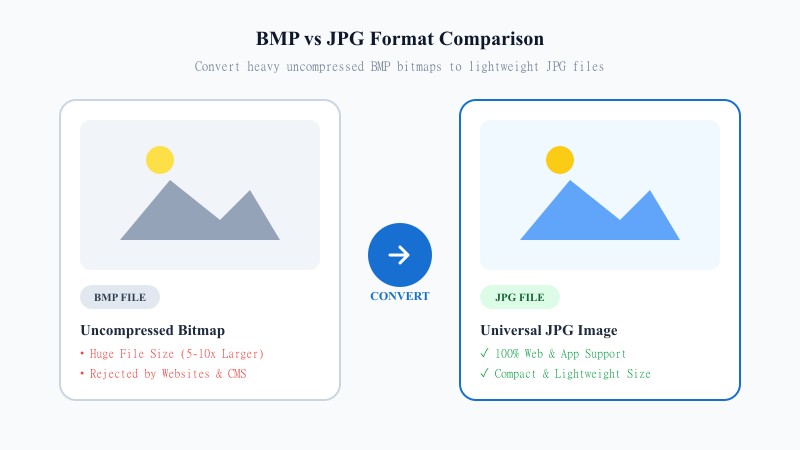
AVIF is a modern format known for strong compression, and it does support transparency through an alpha channel. The problem is compatibility — a lot of image editors, older browsers, and various apps either don't recognize AVIF at all or handle its transparency inconsistently.
PNG solves that. It's been the standard format for transparent images for years, and virtually everything supports it — browsers, design tools, presentation software, you name it. When you convert AVIF images to PNG for transparency, you're moving to a format that's guaranteed to preserve and correctly display that transparent background, wherever you use it next.
EASY 3-STEP PROCESS
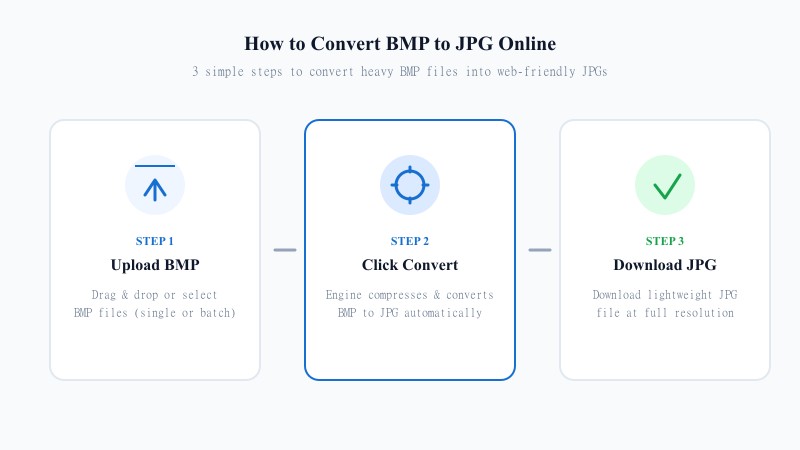
No installs, no design apps needed — just your browser:
LOSSLESS PRESERVATION
No — and this is one of the nicer things about this particular conversion. PNG is a lossless format, meaning it doesn't discard any image data during compression. So when you convert AVIF to PNG, your image comes out exactly as it went in, quality-wise. No added compression artifacts, no blur, nothing lost.
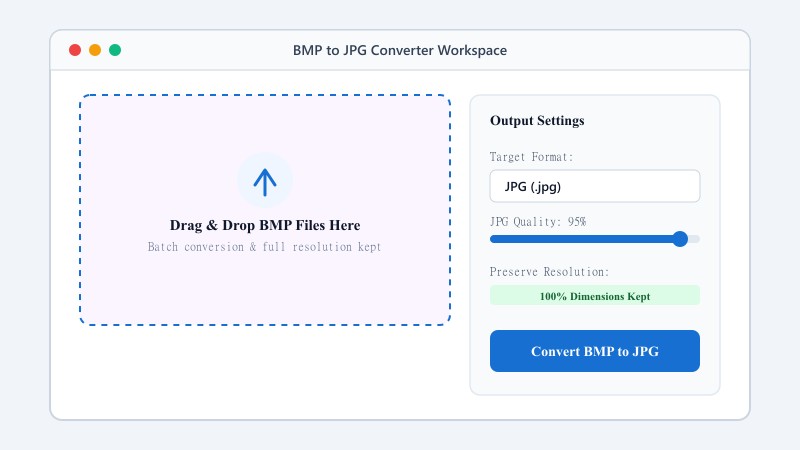
The resolution stays untouched too — the tool doesn't resize or crop, it just re-encodes the same pixel data into PNG format.
Now, about preserving transparency: if your AVIF file has an alpha channel (transparent or semi-transparent areas), the best way to convert AVIF to PNG while preserving transparency is exactly what happens here by default — the alpha channel carries over directly, since both AVIF and PNG support it natively. You won't lose any transparent regions in the process, unlike converting to JPG, which would flatten them to a solid background.
USE CASES
FORMAT COMPARISON
They're built for different jobs. AVIF is excellent for the web specifically — it compresses images down to very small file sizes while still supporting transparency and high quality, which is great for site performance. But that efficiency comes at the cost of compatibility, since plenty of software still doesn't handle AVIF properly. PNG is heavier in file size, but it's lossless, universally supported, and handles transparency reliably everywhere. If you need broad compatibility over file-size savings, PNG is the safer choice.
| Feature / Aspect | AVIF Format (AV1 Image) | PNG Format (Portable Network) |
|---|---|---|
| Compression Type | Lossy / Lossless AV1 Compression | Lossless Deflate Compression |
| Transparency Reliability | Fragmented Across Older Apps | 100% Reliable Alpha Channel Everywhere |
| Software Compatibility | Modern Web Browsers Only | Universal across All Apps & OS |
| Quality Preservation | High Efficiency Compression | 100% Pixel-Perfect Lossless |
| Best Use Case | Web Performance Optimization | Logos, Graphics, Favicons & Design Editing |
100% FREE & LOCAL
REFERENCE MATRIX
| Feature | AVIF Format | PNG Format |
|---|---|---|
| Editing Ecosystem | Limited offline image editor support | Universal design tool support |
| Color Integrity | High dynamic range AV1 | Standard RGB + Alpha channel |
| Target Output | Next-gen web assets | Lossless design masters |
Questions and answers
Yes, completely free with no hidden costs.
Your file is uploaded over an encrypted HTTPS connection to our conversion API, converted in memory, and automatically deleted within 30 minutes.
No, PNG is lossless, so your image quality remains exactly the same.
Yes, if your AVIF has an alpha channel, it carries over directly to the PNG without any loss.
No, the entire process runs online.
Yes — your files are transmitted over encrypted HTTPS, never shared or published, and automatically purged from temporary storage within 30 minutes.
Yes, batch conversion is supported for converting several files together.