Open the watermark tool
Launch the watermark tool online from any device.
FREE ONLINE WATERMARK TOOL
Processing: Server-processed (Encrypted HTTPS)TECHNICAL SPECIFICATIONS & LIMITS
Below are the verified technical parameters, batch limits, and processing details for Add Watermark:
| Specification | Technical Behavior |
|---|---|
| Processing Architecture | Server-processed via encrypted HTTPS API (ephemeral memory, deleted within 30 minutes) |
| Accepted Input Formats | JPG, JPEG, PNG, WEBP |
| Output Format | Preserves source image format (JPG, PNG, or WebP) |
| Batch Processing Limit | 10 files per batch |
| Configurable Parameters | Watermark text; Position (bottom-right, top-left, top-right, bottom-left, center); Opacity (0–255, default 128); Font size (default: 36) |
| Transparency / Alpha Handling | Preserved when output format supports alpha (PNG, WebP, ICO) |
IMAGE PROTECTION & BRANDING
A watermark is a simple way to mark ownership on an image before it goes out into the world. Photographers use it to protect portfolio previews, businesses use it to brand product photos, and pretty much anyone sharing original work online uses it to make casual reposting or theft at least a little less appealing — or to make it obvious where a reposted image actually came from.
It's not a bulletproof anti-theft measure, to be honest — someone determined enough can crop or remove a watermark. But for casual protection, brand consistency across a batch of images, or just making sure your name travels with your work when it's shared, watermarking does the job well.
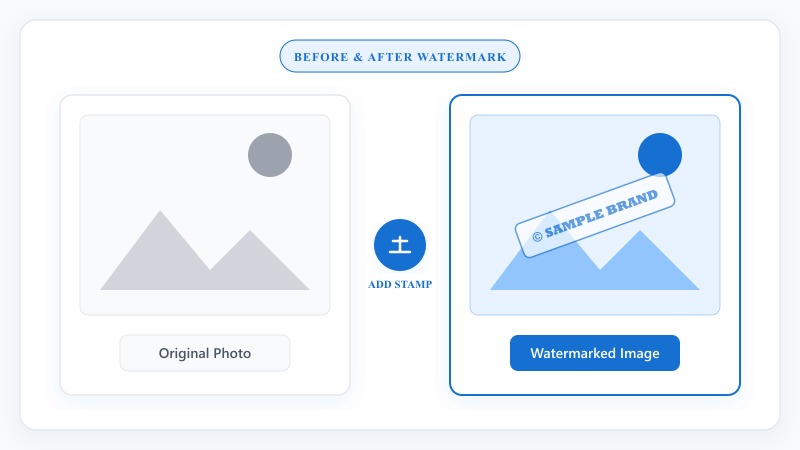
NO PHOTOSHOP REQUIRED
That covers how to add a watermark to an image from start to finish, whether you're branding a single photo or working through a full batch.
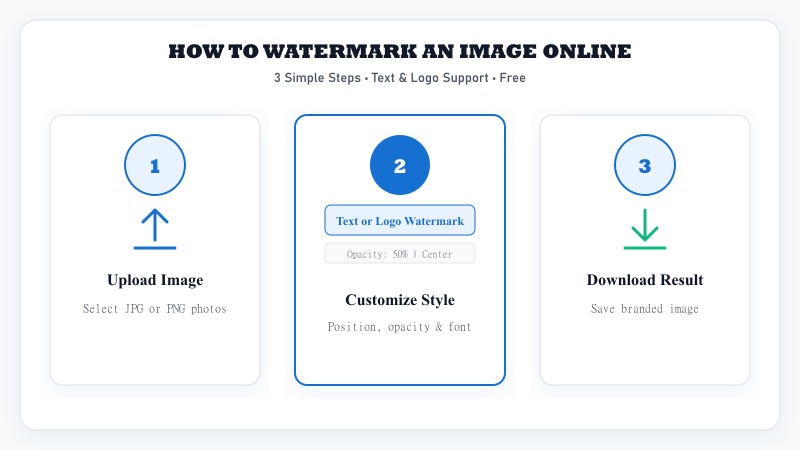
Launch the watermark tool online from any device.
Select JPG or PNG photos from your device.
Select text or logo watermark mode.
Adjust position, size, opacity, and font wording.
Save your watermarked image in full quality.
TEXT WATERMARKS
How to add text to an image as a watermark: type in whatever you want displayed — your name, business, website URL, or a copyright notice — and place it wherever fits best on the image. Common choices are a corner (less intrusive, easier to crop out though) or diagonally across the center (more visible, harder to remove cleanly). Adjust opacity so it's noticeable without completely obscuring the photo underneath — a very light, semi-transparent watermark often looks more professional than a bold, opaque one.

LOGO WATERMARKS
How to add a logo watermark to a photo: upload your logo file (a PNG with a transparent background works best here, so you don't end up with an ugly white box around your logo) and place it on your image the same way you would a text watermark — corner placement is the most common choice for logo watermarks, since it reads clearly as a brand mark without dominating the photo.
TRANSPARENCY CONTROL
How to add a transparent watermark to a photo: this just means adjusting the opacity setting down so the watermark blends into the image rather than sitting as a solid, opaque overlay. Most watermarking tools, including this one, let you control transparency directly — lower opacity for a subtle brand presence, higher opacity if you specifically want the watermark to be hard to miss or hard to remove.
COPYRIGHT PROTECTION
How to add a copyright watermark to images: this is really just a specific type of text watermark, typically formatted with a copyright symbol, your name, and the year — something like "© 2026 Your Name." It works the same as any text watermark; the format is just a convention that clearly signals copyright ownership rather than just branding.
BATCH PROCESSING
This is especially useful for watermarking product photos consistently across an entire store listing, or branding a whole photography portfolio in one pass instead of repeating the process image by image.
Upload several images together instead of one at a time.
Set your watermark (text or logo) and positioning once.
The tool applies the same watermark across every image in the batch.
Download files individually or all together.
PRACTICAL USES
FREE & UNLIMITED
REFERENCE MATRIX
| Watermark Type | Protection Level | Branding Impact |
|---|---|---|
| Text Watermark | Custom copyright notice | Subtle professional credit |
| Logo Overlay | Brand identity recognition | High visual branding |
| Tile Grid Pattern | Full-image theft prevention | Maximum copyright protection |
Questions and answers
Yes, completely free with no hidden costs.
Yes, you can choose either option, or apply both if needed.
Yes, opacity is adjustable, so you can make it subtle or bold depending on your preference.
Yes, batch watermarking is supported for handling several images together.
No, everything happens online without installing any software with no design software required.
Yes, files are processed securely and aren't stored or shared afterward.
Yes, both formats are supported for watermarking.