Drag and drop your PDF
Pick the file from your folder and drop it into the workspace.
FREE ONLINE PDF TOOL
Processing: Server-processed (Encrypted HTTPS)TECHNICAL SPECIFICATIONS & LIMITS
Below are the verified technical parameters, batch limits, and processing details for Split PDF:
| Specification | Technical Behavior |
|---|---|
| Processing Architecture | Server-processed via encrypted HTTPS API (ephemeral memory, deleted within 30 minutes) |
| Accepted Input Formats | |
| Output Format | PDF (.pdf document) |
| Batch Processing Limit | 10 files per batch |
| Configurable Parameters | Split Mode (custom_range, fixed_range, extract_all, select_pages, size); Page ranges (e.g. 1-10, 11-29); Fixed page count per file; Pages to extract (e.g. 1-5 or 1,3,5); Merge all into one PDF file; Maximum size per file (KB); Allow compression |
| Transparency / Alpha Handling | Preserved when output format supports alpha (PNG, WebP, ICO) |
ADVANTAGES
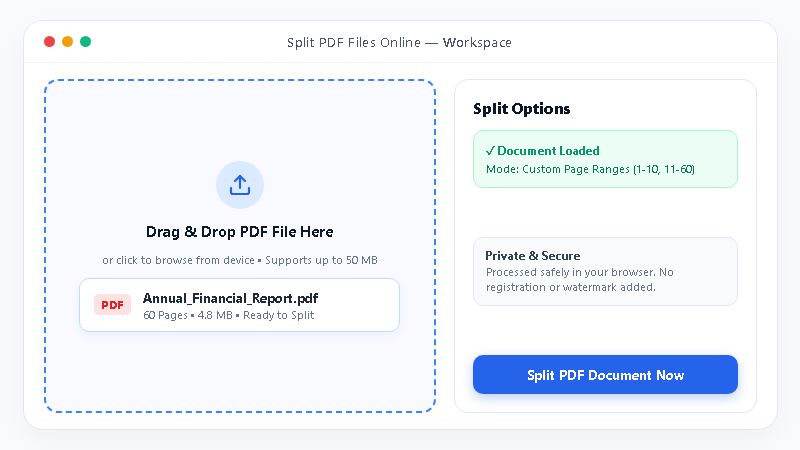
You drag and drop your file, review it on screen, and split it. No desktop software is needed. Upload your PDF above to start.
ONLINE PDF SPLITTER
Split PDF is a free online tool that separates one PDF document into smaller files. You upload a file, review it, and download the new parts.
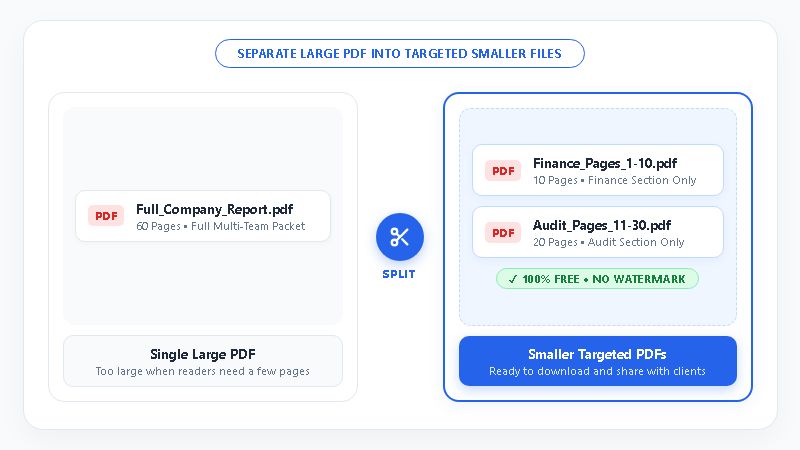
Think of a 60 page report. Your manager needs only the finance section. Splitting the file lets you send that part and nothing else.
STEP-BY-STEP GUIDE
You do not need technical skills to split a PDF. Follow these four steps online.
Need to join files again later? Try our merge PDF tool.
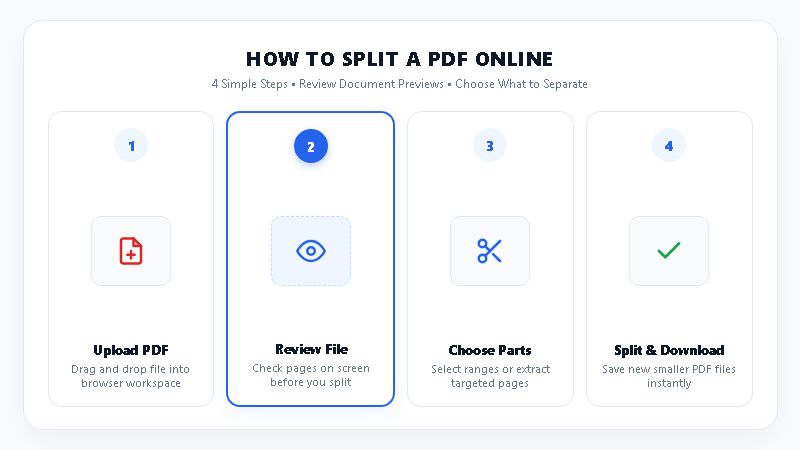
Pick the file from your folder and drop it into the workspace.
Check the file on screen to confirm it is the right one.
Decide which parts of the document you want as new files.
Run the split and save your new PDF files.
INSPECT & SEPARATE
Many tools split files without letting you check them first. Split PDF keeps the process simple and clear.
COMPARISON
You can split a PDF in several ways. Some methods waste time. Others need paid software. This table shows how they compare.
| Factor | Split PDF Online Tool | Print to PDF Workaround | Installed Desktop Software |
|---|---|---|---|
| Setup | Zero installation required (online web tool) | Uses your system print menu | Needs download and install |
| Upload | Drag and drop | Open the file, then print | Local folder menus |
| Check before splitting | Built in review | Scroll the print preview | Separate preview panel |
| Cost | Free to use | Free but slow | Often needs a paid license |
| Best for | Quick everyday splits | One off small jobs | Heavy, advanced editing |
COMMON USERS
Anyone who shares large PDFs can save time here. Sending only the needed pages looks cleaner than attaching a huge file. The table below shows common users.
| User Group | Common Problem | How Split PDF Helps | Example |
|---|---|---|---|
| Bankers | Loan packets hold many mixed forms | Separates the forms a client needs | Pulling one signed form from a large packet |
| Students | Course readings arrive as one big file | Divides chapters into smaller files | Saving a single assigned chapter |
| Corporate teams | Board reports combine every department | Lets you share one section only | Sending the finance summary to a manager |
| Office staff | Vendor bills arrive in one bundle | Separates files for easy filing | Splitting a monthly bundle by supplier |
PRACTICAL HABITS
Follow these habits every time you split a PDF online:
GET STARTED
Stop emailing huge files when someone needs a few pages. Use our Split PDF Online, Free PDF Splitter to drag, drop, review, and split your document. Try Split PDF now and download your new files today.
Want smaller files for email? Visit our compress PDF tool.
Questions and answers
Open Split PDF online from any modern device. Drag and drop your PDF into the workspace. Review the file on screen to confirm it is the right one. Then split the document and download your new files. You do not need to install any desktop program.
Yes, Split PDF is free to use online. You can separate your PDF and download the new files without paying. Check the tool page for any current limits before you upload a very large document.
Treat any online tool with care when your file holds private data. Review your PDF on screen first so you split only the right file. Avoid uploading documents you cannot share, and read the site's privacy policy before you start.
Yes, Split PDF includes a review feature. After you drag and drop your file, you can check it on screen. This helps you catch a wrong version before you create new files. The check takes a few seconds and saves you from repeating the task.
Use Split PDF online from any modern device. Drag and drop your file, review it, and split it into smaller files. You do not need to buy or install Acrobat for this task. The whole process runs from one web page.
Splitting divides one PDF into two or more smaller files. Extracting pulls selected pages into a new file. The two tasks overlap, and both help you share only the pages a reader needs. Check the tool page for the options it offers.